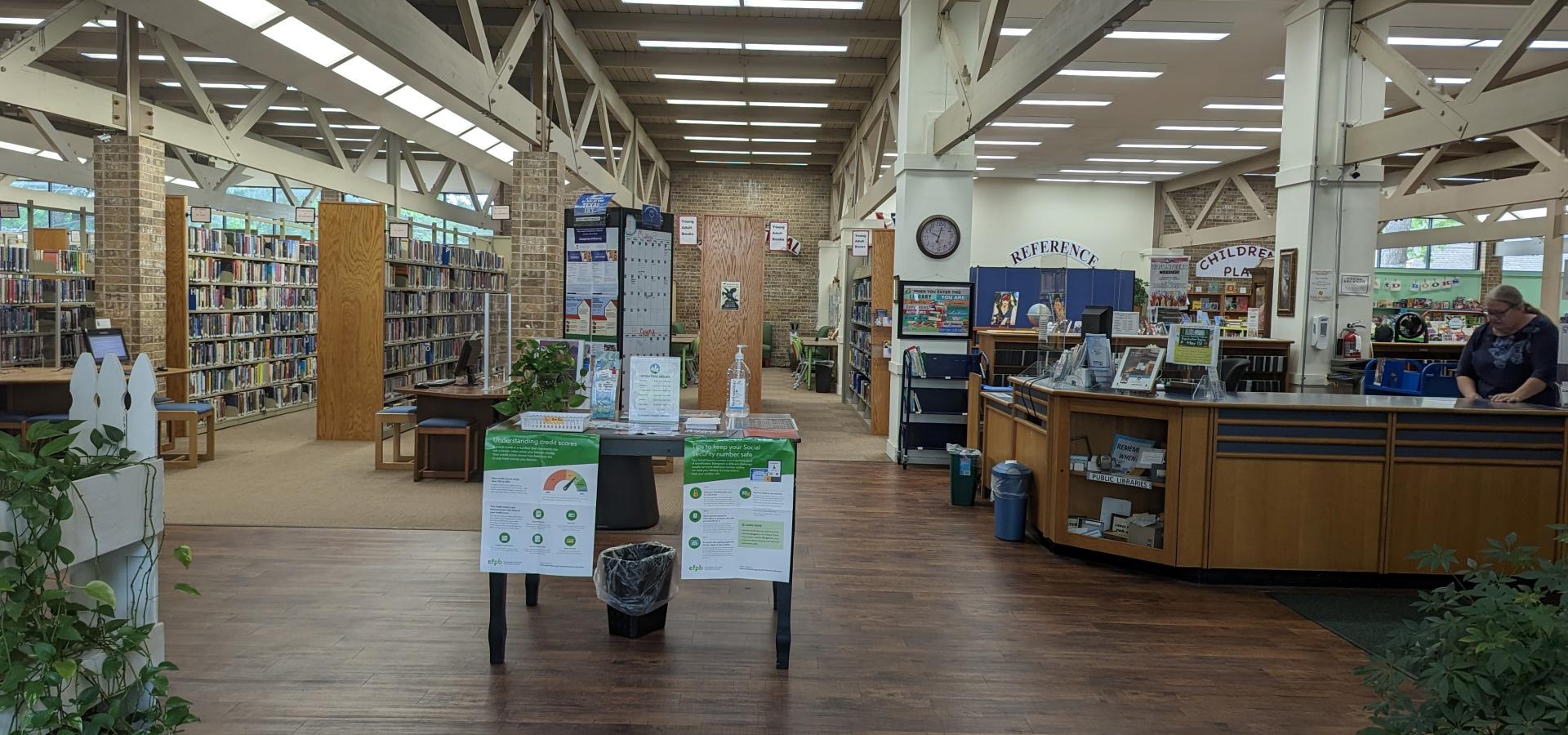
Crockett Library
Smallnormalwide

comp2

Computer Policy

Revised by Library Advisory Board
August 30, 2005

Internet resources available in the J.H. Wootters Crockett Public
are provided by the

City Of Crockett through a Cable connection
to patrons wishing to access the Internet.


Patrons are limited to one hour per patron per day on the computer.

If you are in the middle of a project,
you may request extra time at the front desk.

It the count down timer goes under 3 minutes we cannot add time to the session.

Parents or guardians must give written permission
for children under 18 to access the Internet.

Because filtering software may not be 100% effective, parents are expected to exercise control over their children’s internet access.

The Internet is a forum for many people and cultures. Not all sources on the Internet provide accurate, complete or current information. Patrons are asked to please try to be vigilant and to avoid sites that may make them uncomfortable. There is no control over the subject matter on the Internet. The Library cannot have complete knowledge of what is on the Internet. Internet users should be advised that security is technologically difficult to achieve electronic transactions and files can become public.

As with other Library resources, providing access to electronic information does not imply sponsorship or endorsement by the Library.
It is, therefore, left to each user to choose what is individually appropriate and for parents or legal guardians to assume responsibility for their children’s use of the Internet.


Internet Access Rules

1. All patrons are required to produce their library cards before using a computer.

2. The time limit on a computer is one hour per patron per day. Additional time may be granted by library staff.

3. The user may not use their own software programs or download programs from the internet on the library’s computers. This will help prevent computer viruses that are common on public computers. The user may not store files on the library computers hard drive. If you wish to transfer files over the internet ask library staff for assistance. We do not allow large files to be transferred for is slows down the internet speed for everyone. If you up load or download without staff approval your computer time will be terminated.

4. Library staff will be monitoring use of internet workstations to ensure compliance with this policy.  Staff may ask users to remove themselves from the Library if they observe any behavior that they judge to be in conflict with this policy.  Misuse or abuse of Library computers or internet access will result in suspension of Internet access and Library privileges.

5. The use of messenger service or chat rooms is not allowed.

6. No more than two people are allowed at the same PC at the same time.

7. The user may send or receive web-based e-mail (electronic mail) hot mail – yahoo -- etc.

8. The Library is not responsible for the accuracy of the information found on the Internet.

9. The library is not responsible for the security of the exchange of information or transactions performed on the Internet.

10. Use of Internet PCs is to be primarily research; limited game playing is allowed when the PC is not needed for research.

11. Copyright law prohibits the unauthorized reproduction or distribution of copyrighted materials, except as permitted by the principles of fair use. Any responsibility for consequences arising from copyright infringement or any other illegal use lies with the user. The J.H. Wootters Crockett Public Library assumes no responsibility for any damages, direct or indirect, arising from the use of its Internet connection.

12. Two pages are free and additional printed pages are 15 cents each.

13. Patrons with over due books or fines cannot use the Library's Computers.

14. Use of the Internet PCs for illegal or inappropriate purposes is strictly prohibited.

15. To maintain service for all we do not allow large files (over 10 meg)to be up loaded or downloaded -
We will revoke your computer time if you violate this rule..


Failure to abide by the above guidelines
will result in immediate termination of use.

Failure to abide by  the library’s guidelines
will result in loss of ALL library privileges


hot
HOT SPOT USAGE
at
J.H. Wootters Crockett Public Library

· The Library’s wireless Hotspot is not secure, and the Library cannot guarantee the safety of your traffic across its wireless network. The Library assumes no responsibility for the configurations, security, or data files on your laptop resulting from connection to the Library’s wireless network. Information sent to or from your laptop can be captured by anyone else with a wireless device and appropriate software.

· Transmitting any personal information such as passwords, credit card, or Social Security numbers while using any wireless "hotspot", including the Library’s, is not recommended.

· Anti-virus, privacy, and security protection is the responsibility of the patron.

· The Library assumes no responsibility for damage, theft, or loss of any kind to a user’s equipment, software, data files or other personal property brought into or used at the Library.

· The Library is not able to provide technical assistance to you, and there is no guarantee that you will be able to make a wireless connection. If you need assistance, contact the manufacturer of your laptop or software. The Library is not responsible for any changes you make to your computer settings.

· The Library cannot guarantee that the Wi-Fi service will be available at any specific time or that the connection will have any specific quality or speed.

· The connection shall not be used for illegal purposes, nor shall it be used in such a way as to violate library policies.

--
To maintain service for all we do not allow large files (over 10 meg) to be up loaded or downloaded.
We will turn off the wireless access point if you violate this rule.

Wireless Frequently Asked Questions

1. What do I need to connect to the wireless network in the Library?

You need an 802.11a, b, or g wireless network card.
Many new laptop computers have wireless built-in.
Check with your laptop manufacturer for you options.

2. I don't have a laptop computer. How can I use the network?

The library does not have laptop computers for loan.

3. How much does it cost to access the Library’s wireless network?

Access to the Internet using the Library’s "Wi-Fi Hotspot" is free.

4. Is it difficult to connect to the wireless network?

Not usually. Most laptops that come configured for
wireless access can automatically pick-up the wireless signal.
If yours does not, you will have to know how to use your
wireless device’s configuration software to connect to the wireless network.

5. I can't get a Wi-Fi signal, but the person next to me can.

Not all Wireless cards are the same.
The quality of your card versus your neighbor's
can be quite different.

6. Do all PDA's support wireless?

While not all PDA's support wireless, several
manufacturers have adopted the 802.11b standard.

7. Will my Macintosh work with wireless in the Library?

Yes, as long as it supports 802.11b or 802.11g wireless.

8. Do I need to update Windows for wireless?

You don't need to update Windows specifically for wireless
but it is always a good idea to keep your software fully
patched and up to date. You need to make sure that Windows
remains safe when you are on the wireless network
(or any internet connected networks). Microsoft recommends
that you install all the "service packs." For your version of
Windows, visit http://windowsupdate.microsoft.com for
more information. Make sure that you have anti-virus
software and that personal firewall
software is running on your machine.

9. Is technical support available from the Library staff?

No. Technical support from the library staff is not available.
You must be familiar with your device and know how to set it up for wireless access.

10. How long does my connection last?

We have not implemented any sort of time limit presently;
however, we reserve the right to do so at a later date.

Wireless accesses is available only during library hours

11. Can I print from my laptop using the Library's printer?

No, the wireless network is not connected to the library's public
printers. However, you could email your files to your web-based email service
then access that service and your files from one of Library’s Internet computers.

12. Why can't I use my copy of Outlook/Outlook Express/Eudora/Pegasus Email/AOL
or other e-mails to send email from my laptop while
I'm connected to the Library's Wi-Fi network?

Sending emails using a client such as Outlook requires that we open up certain ports
on our network. We have decided not to do this because people may try to send "spam"
from our library, and unfortunately, it'll look like it was coming from us.
Please check with your ISP to see what their web-mail site is and use
it to send and receive email while you're on our network.

a. I have problems connecting with Internet Explorer - IE.

In some cases, the proxy server setting is present in your browser.
On a public network like the Library network, it's important
that you turn off proxy servers. The wireless network cannot
allow unauthenticated connections to external proxy servers for security reasons.
To check proxy setting, go under Internet Options, Connections tab,
verify that the Dial-up and Virtual Private Network settings are set to
"Never dial a connection."

b. Under Local Area Network (LAN) Settings, uncheck each of the following:

"Automatic Detect Settings",

"Use Automatic Configuration Script", and

"Use a Proxy Server for your LAN"

13. Why does the wireless network data transfer rate vary?

There are several possibilities including:

1. Your distance from the Access Point (AP).
You can see variable rates ranging from 44 Mbps to 1 Mbps
depending on how close you are to the AP.

2. Since a wireless network is a shared network,
its data transfer capability depends on how many users are using the same AP.
If more people use the same AP then users might see slower connections.

14. What do all the acronyms mean?

AP – Access Point

ISP – Internet Service Provider

SSID – Service Set IDentifier

VPN – Virtual Private Networking

WEP – Wired Equivalent Privacy

WI-FI – Wireless Fidelity

WISP – Wireless Internet Service Provider

WLAN – Wireless Local Area Network

15. I think I got a virus from your "Wi-Fi Hotspot".

Hotspots do not produce viruses. They come from the Internet,
often as attachments to email. It is strongly recommend that all users have virus protection and personal firewall installed on their laptops.


Template-Design and Copyright by Webdesign|Mai